curious?
Start your Shopify POS project with us today!

We are a young creative team and love creating new things and making existing things better. We are more than an e-commerce agency and your direct partner for online shops, websites, content creation and much more. Looking for a collaboration?

Two hands holding a laptop that says “Create some Purpose”
SHOPIFY POS

How high are Shopify POS costs compared to other cash register systems?

Find out how high Shopify POS costs really are, what transaction fees, hardware and additional costs are involved and how you can cleverly save costs. Here you can find an overview of all Shopify POS costs: We compare plans, transaction fees, hardware and hidden costs with other cash register systems and give tips for efficient cost control.

POS costs at a glance: What expenses retailers really expect

At first glance, the costs of a cash register system often seem manageable: a monthly fee, maybe a card reader — that's it. But if you take a closer look, you quickly notice that actual expenditure consists of many individual items. Subscriptions, transaction fees, hardware, additional features, and hidden ancillary costs can significantly change the price of a system.

Just Shopify POS is often advertised as a flexible all-in-one solution, particularly for retailers with online and stationary sales. But how high are the Shopify POS costs really? And how do they compare to other cash register systems such as Square, Lightspeed or classic POS providers?

In this article, we take a transparent look at the Shopify POS plans, fees, and hidden costs, compare them with alternative cash register systems and give you practical tips on what you should pay attention to when planning costs so that you can make an informed decision for your business.

Shopify POS cost overview

Shopify POS isn't a standalone checkout system, but part of the Shopify ecosystem. This means that the costs consist of several components, which must be considered together. Depending on the business model, these can weigh very differently.

a) Shopify plans & POS software

Basically is Shopify POS Lite included with every Shopify store. This means that anyone who already runs a Shopify online shop can process sales in brick-and-mortar stores without additional software costs. The monthly costs are then based on the selected Shopify plan (such as Basic or Advanced).

For retailers with higher requirements, there is Shopify POS Pro. This paid addition significantly expands the checkout functionality, for example by:

  • detailed employee rights and roles
  • advanced inventory management across multiple locations
  • more comprehensive reports and analyses
  • optimized workflows for branch businesses

Shopify POS Pro is per location settled, which is a relevant cost factor, especially if there are several branches.

b) Transaction fees

In addition to the software, every payment falls Transaction fees on. Their amount depends on:

  • Which Shopify plan you're using
  • Whether you Shopify Payments use or an external payment provider

With Shopify Payments, the fees are usually within the normal market range. If you opt for an external payment provider, Shopify charges additional fees per transaction. If sales are high, these can have a noticeable effect on overall costs.

c) Hardware costs

Shopify POS doesn't work without suitable hardware. These include:

  • card reader
  • Point-of-sale terminals or tablets
  • Receipt printer, scanner and cash drawer

These costs usually fall one-time but can vary significantly depending on the equipment and number of cash desks. Positive: Shopify POS is compatible with many third-party devices, so retailers are not necessarily tied to expensive complete sets.

d) Ongoing additional costs

In addition to the obvious costs, there may be other expenses, such as:

  • paid apps (e.g. for loyalty programs or accounting)
  • additional user accounts
  • Support or extension features

These items often seem small but add up over months and years. Shopify POS costs are transparent, but heavily depend on the individual setup. Only the combination of Shopify plan, POS variant, payment processing and hardware shows how high the actual costs in everyday life really are.

Shopify POS compared to other POS systems

In order to realistically classify the costs of Shopify POS, it is worth taking a look at other common cash register systems, because not every system follows the same pricing model.

Shopify POS vs. Square

Square is primarily for small stationary shops popular because it offers a very low start. The basic version can often be used without a monthly software fee, but there are transaction fees per sale.

Differences from Shopify POS:

  • Square is primarily designed for stationary sales
  • Shopify POS scores points with the seamless connection between offline and online shops
  • For retailers with an e-commerce focus, Shopify is often more efficient in the long term, while Square can be cheaper for purely stationary use

Shopify POS Pro is per location settled, which is a relevant cost factor, especially if there are several branches.

Shopify POS vs. Lightspeed

Lightspeed is aimed more at larger companies with complex inventories and several branches. Basic monthly costs are usually higher; additional registers or locations cost extra.

Differences from Shopify POS:

  • Lightspeed offers very deep goods and warehouse functions
  • Shopify POS is easier to set up and more intuitive to use
  • Shopify is usually more cost-effective for small to medium-sized companies, while Lightspeed has advantages for complex structures

Shopify POS vs. classic cash register systems

Traditional POS providers often work with fixed contract terms, set-up fees, and paid updates. In addition, there are often integration costs to connect the cash register system with an online shop or accounting tool.

Differences from Shopify POS:

  • Shopify POS is cloud-based and flexibly scalable
  • Classic systems look cheap at first glance, but are often more expensive in the long term
  • Updates and maintenance are usually included with Shopify

Conclusion of the comparison

Shopify POS is particularly economical when:

  • Online and stationary retail are combined

A uniform system for inventory, payments and reporting is required

  • flexible scaling without long-term contracts is important

Other cash register systems can be cheaper if they are sold exclusively in stationary stores or if there are very specific industry requirements. The actual cost comparison therefore depends heavily on the business model.

Hidden costs with Shopify POS

When buying a cash register system, many retailers initially focus on the official Shopify POS costs, i.e. the monthly fees and transaction fees. But there are often additional, hidden costs that can significantly influence the budget.

a) POS hardware

Shopify POS requires working devices: card readers, cash terminals, scanners, printers, and cash drawers. Even if some devices are purchased once, these costs can easily amount to several hundred euros. Anyone who operates several registers or branches should plan the costs per location.

b) Third party apps and add-ons

Shopify POS add-ons and additional features such as loyalty programs, marketing tools, accounting interfaces or reporting apps are usually not included in standard plans. Many apps cost between €5 and €50 per app per month, which quickly adds up over months.

c) External payment providers

If you're not using Shopify Payments, you'll incur additional transaction fees. Shopify charges up to 2% per sale for this, depending on the plan. This can quickly become significant, especially when sales are high.

d) Training and implementation

Setting up Shopify POS, including employee training, costs time and money. For larger teams or complex inventory systems, these costs can amount to several hundred euros.

e) Long-term maintenance and updates

Even though Shopify is cloud-based, additional features, security updates, or extensions can result in small costs, such as through special hardware compatibility or app integrations.

conclusion

The official Shopify POS costs (subscriptions and transaction fees) are just the tip of the iceberg. In order to realistically estimate the total costs of a cash register system, retailers should definitely include hardware, apps, training, integrations and additional fees. If you take this into account at an early stage, you can avoid unpleasant surprises and optimize costs in a targeted manner.

Tips for optimising costs with Shopify POS

Shopify POS costs can be reduced in a targeted manner if you take into account a few simple strategies. This not only saves you money, but also ensures that your cash register system works efficiently and sustainably.

a) Choose the right Shopify POS plan

Not every store needs Shopify POS Pro. For small shops or sole proprietors, the included lite version is often sufficient. This saves you the additional monthly fees per location.

b) Use Shopify Payments

Use Shopify Payments to avoid additional transaction fees. External payment providers can cost up to 2% extra per sale. This reduces your POS fees and benefits from seamless integration with your Shopify system.

c) Select hardware consciously

Instead of buying expensive complete sets, you can use compatible third-party devices, such as card readers or receipt printers. Plan Shopify POS hardware costs realistically — especially if you need multiple registers.

d) Use add-ons & apps strategically

Only install necessary Shopify POS add-ons, such as loyalty programs or reporting apps. Each additional service has a monthly cost. Targeted selection reduces long-term POS additional costs.

e) Train employees and standardize processes

Good familiarization saves time and prevents errors. In this way, POS costs are offset in the long term through training, as there are fewer returns, errors or duplicate bookings.

f) Long-term planning of locations

If you run multiple branches, check carefully whether the Shopify POS location fees per registry or location are reasonably calculated. Sometimes a centralized solution is cheaper than multiple standalone terminals.

conclusion

If you want to optimize Shopify POS costs, you should rely on the right plan, the integration of Shopify Payments, hardware-friendly solutions, targeted add-ons and efficient training. This not only saves you money, but also ensures that your POS system really supports instead of charging.

Shopify POS costs overview

Shopify POS costs consist of several components: the softwares (POS Lite or POS Pro), the Transaction fees, who POS hardware, Add-Ons and trainings. Anyone who only looks at the monthly subscription fee often overlooks hidden costs that can significantly increase the price in the long term.

Compared to other cash register systems such as Square, Lightspeed or classic POS systems, Shopify POS scores particularly well thanks to Integration of offline and online retail, flexible scaling and the ability to efficiently manage POS costs. Merchants can save costs by choosing the right plan, using Shopify Payments, purchasing hardware consciously and only installing necessary add-ons.

Tip: Plan your POS costs longterm, consider all fees — from transactions to hardware — and check which features you really need. This ensures that your Shopify POS system is both cost-effective and powerful.

Createsome Recommends

Get started safely with the Shopify POS system

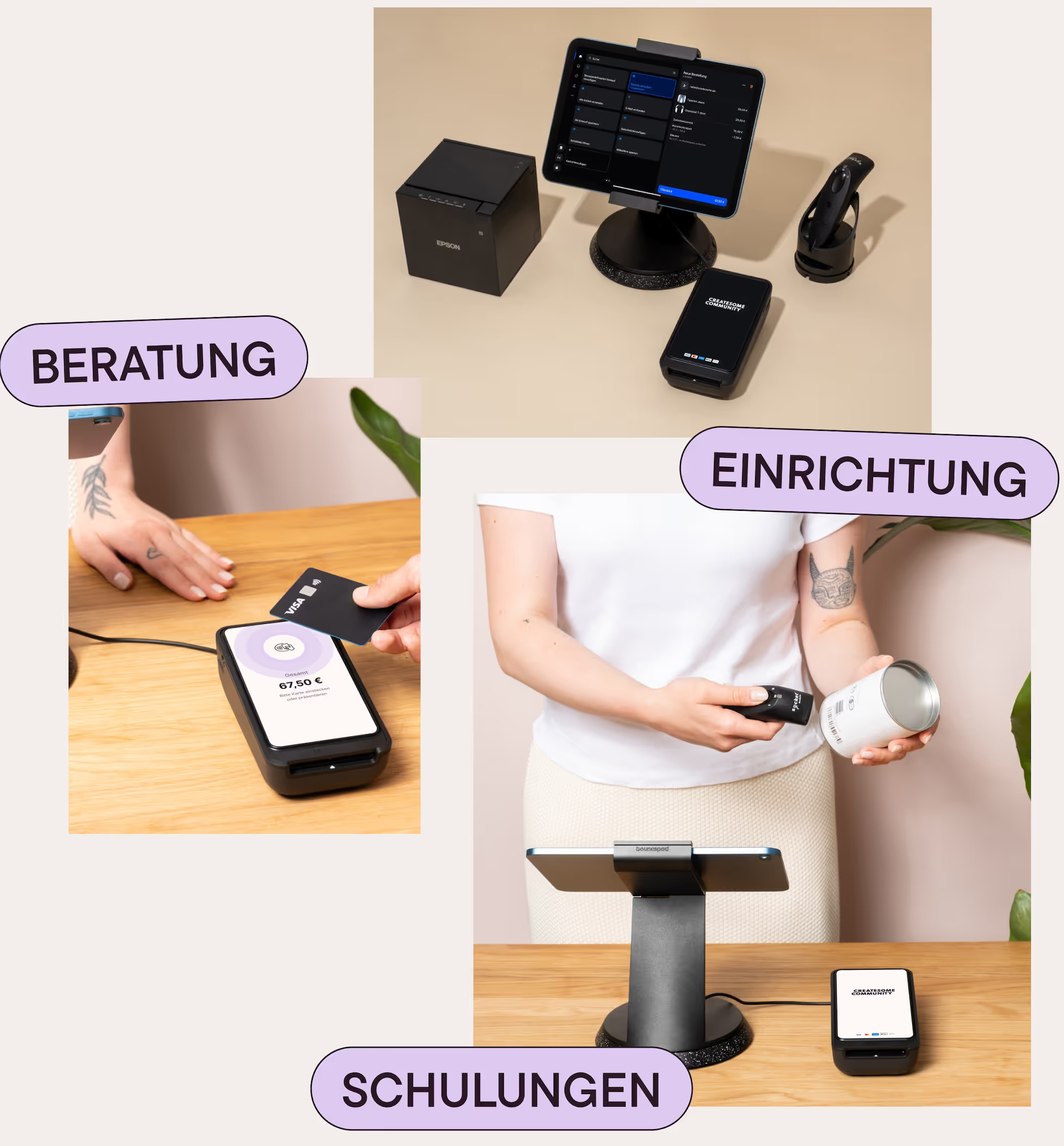
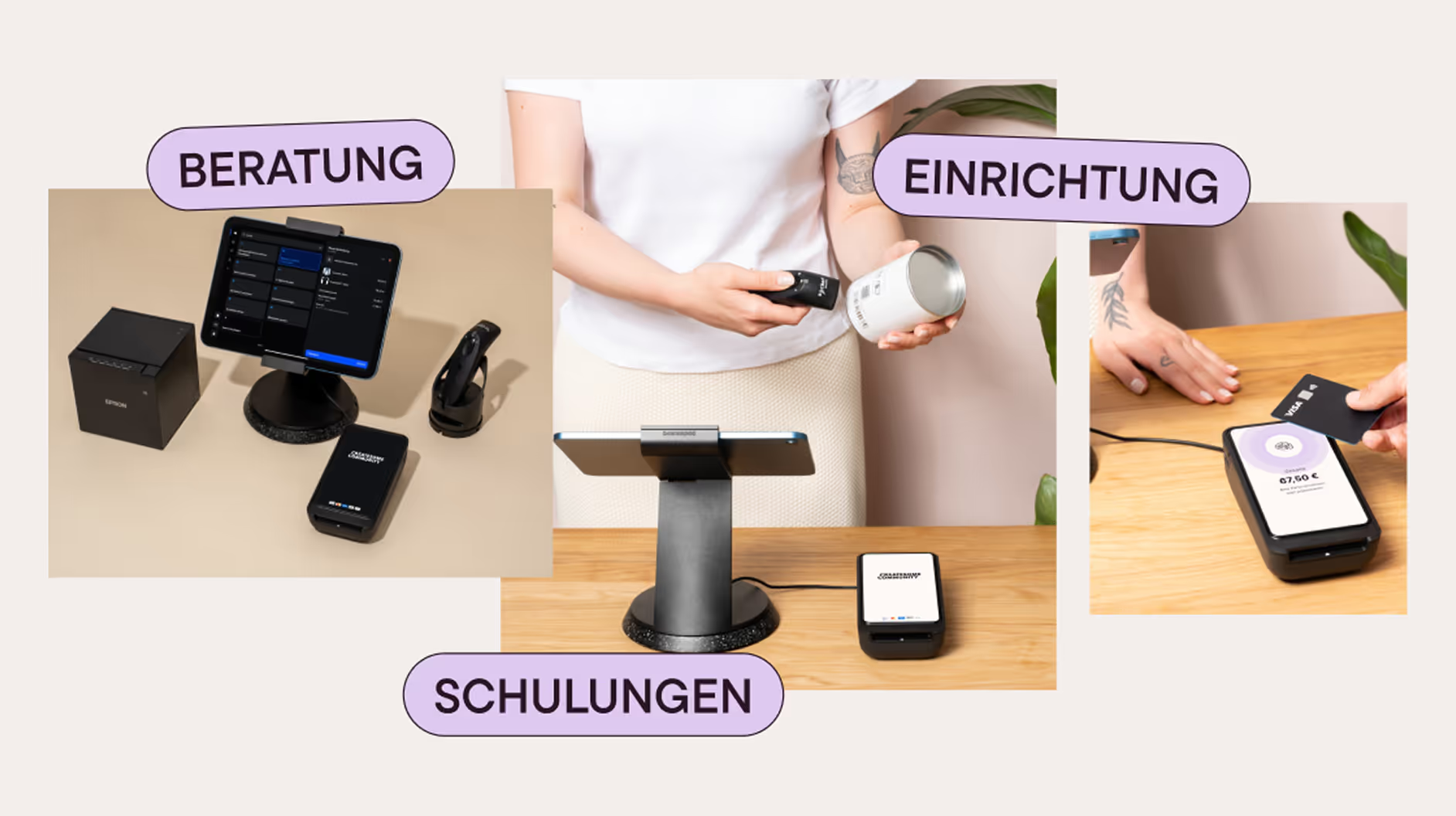
A successful POS system requires more than just hardware. We support you in selecting devices, setting them up, configuring data and system settings, and training your team. This ensures that your POS runs smoothly right from the start—and we remain a reliable partner for your business even after go-live.


Person scannt ein Produkt mit einem Handscanner vor einem Tablet auf einem Tisch, daneben Kartenlesegerät; Kartenzahlung wird mit Karte an einem Kartenlesegerät durchgeführt.Person bedient ein Kassensystem mit Scanner und kontaktlosem Bezahlterminal, umgeben von weiteren Zahlungsgeräten und Beschriftungen Beratung, Einrichtung und Schulungen.
SHOPIFY POS CUSTOMERS

Successful projects with Shopify POS

More references

Die Vegane Fleischerei

POS for all branches
A counter in Die Vegane Fleischerei with a Shopify cash register including a scale.

SHOES.PLEASE.

pos for all branches
SHOES.PLEASE. X Createsome: A laptop mockup from the online shop.

Saltwater

POS incl. training in Kiel
Saltwater X Createsome: POS training in the Kiel store

Good Natured

POS for pop-up events
A screenshot from the Good-Natured Shop

Karierte Katze

POS for festival
An illustration of the checkered cat (artist: Holger John) playing guitar

Our Shopify POS services — fully set up, personally supervised

Individual advice & device selection

We'll find the right POS solution for your business — including hardware, setup and clear recommendations. Ready to go even without an online shop, with potential for more.

Data migration & system setup

We set up your POS: products, taxes, receipts, Fiscalization — everything is correct and complete. Also ideal for retailers without an existing Shopify store.

Staff training on site & ongoing support

Your team will be trained by us — comprehensible and practical. After that, we will continue to be by your side for support, optimization and new functions in everyday life.

Shopify Partners logo
Shopify POS hardware FAQ

The most common questions & answers about Shopify POS hardware

What devices do I need for Shopify POS?

To get started, you need an iPad or Android tablet, a card reader, a receipt printer and possibly a cash drawer. We'll help you choose the right hardware for your business.

Does Shopify POS also work with my existing hardware?

Partially — some devices are compatible, others aren't. We'll check for you which hardware can be seamlessly integrated so that your POS system runs smoothly.

Do I need internet for Shopify POS?

Yes, an Internet connection is required for most features. However, your POS can also record offline sales and automatically synchronize them as soon as a connection is reconnected.

Can I use multiple devices at the same time?

Yes, Shopify POS supports multiple tablets and card readers at the same time, ideal for teams or multiple checkout stations.

What happens when a device fails?

We will advise you on backup solutions and replacement devices so that your sales continue even if there are hardware problems.

How easy is it to set up the hardware?

We take care of the entire set-up — from device installation to system settings — so your team can get started right away.

Stop scrolling...

Write to us or book an introductory call!

In a personal conversation, most things are clarified much more quickly: whether we fit in and like each other and, above all, whether we can help you with your problem. So come by and let's talk or get to know us online!

Shirley sitting in a chair and holding a phone.